1.7 KiB
22.11版本TSG界面单词拼写错误
| ID | Creation Date | Assignee | Status |
|---|---|---|---|
| OMPUB-773 | 2023-01-11T17:15:18.000+0800 | 王瑜 | 已关闭 |
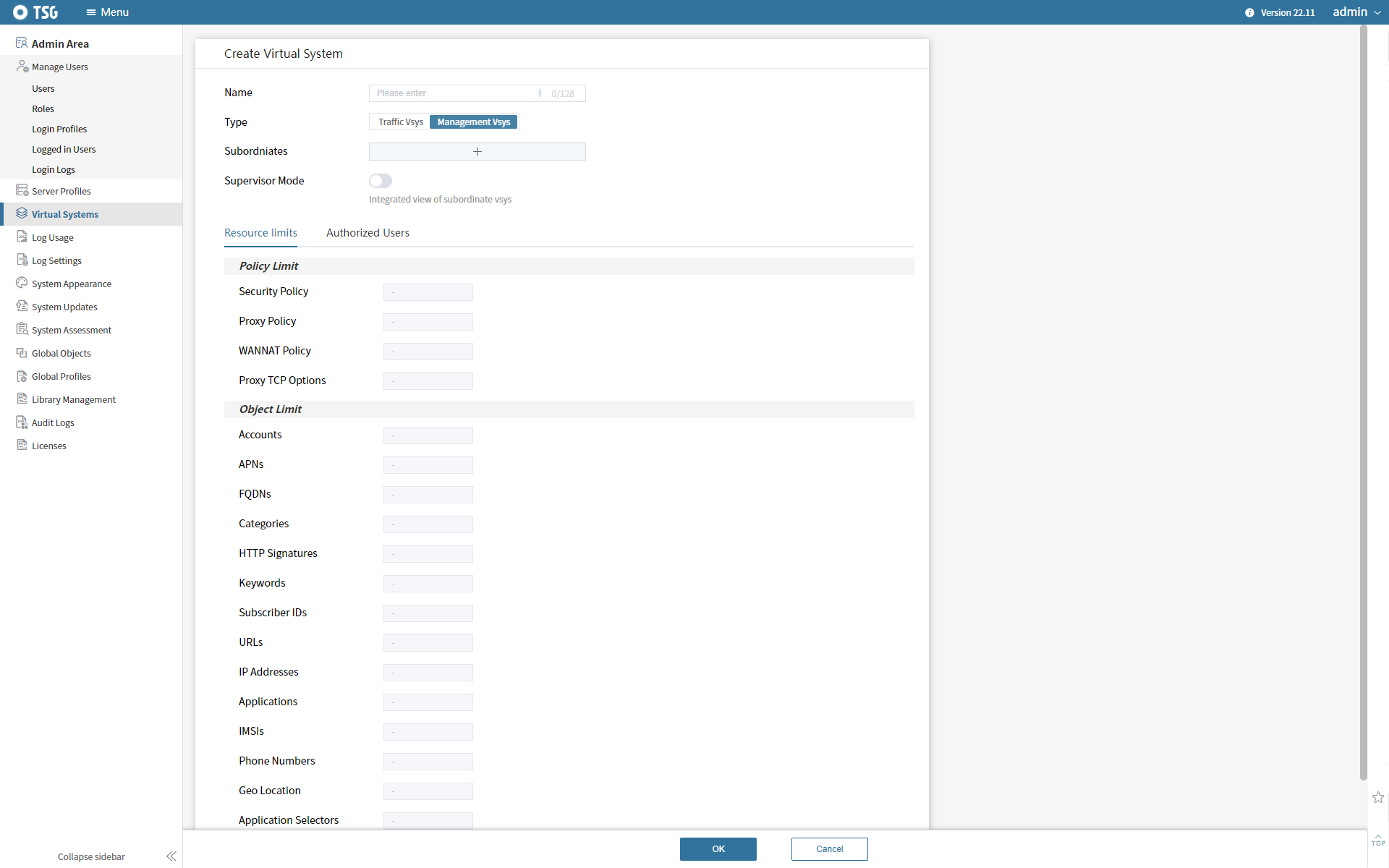
TSG-22.11版本 的TSG界面 单词拼写错误,具体查看步骤如下:
Menu -> Admin Area -> Virtual System -> Create Virtual System -> Type 选择 Management Vsys -> {color:#172b4d}Subord{color}{color:#de350b}ni{color}ates 单词拼写错误 ,正确的单词应该为 Subord{color:#de350b}in{color}ates。
{color:#172b4d}因为需要演示给客户看,请协助修复此问题。{color}zhangzhihan commented on 2023-01-11T17:18:43.352+0800:
需要临时补丁修复,并提供该补丁和打补丁方法,供现场部署使用
liuyang commented on 2023-01-11T17:29:08.982+0800:
麻烦[~yuwang]临时在22.11版本修复,[~leijun]将安装包更新到FTP服务器,并将更新包链接、版本号备注在jira下
leijun commented on 2023-01-11T18:46:58.802+0800:
UI更新包:dist.zip
MD5:7265fa1b7d489343b53789c9d084cc8b
文件路径:192.168.44.24:/data/Bifang/22.11/dist.zip
修复步骤:
1、登录CM服务器,备份 config.js 配置文件 cd /opt/tsg/cm/nginx/html/static cp config.js /opt/tsg/cm/nginx/
2、删除旧版本界面文件 cd /opt/tsg/cm/nginx/html && rm -rf *
3、将dist.zip 压缩包放置 /opt/tsg/cm/nginx/html 目录,解压dist.zip文件 unzip dist.zip
4、替换备份的config.js文件 \cp /opt/tsg/cm/nginx/config.js /opt/tsg/cm/nginx/html/static/
Attachments
Attachment: error.PNG